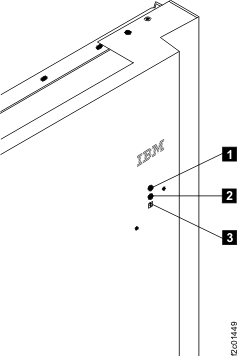
Both green LED indicators  and and  are off are off |
- Ensure that the mainline input CBs on the DC-UPS units or primary power supplies (PPS) are switched
on.
- Have the customer restore mainline power.
|
| Green LED indicator and slow blink (1 flash per second) |
This
is normal during DC-UPS or PPS
power off or power on. |
| Green LED indicator and fast blink (2 flashes per second) |
This is normal when PPS is in standby. |
Amber LED indicator  is slow blinking. is slow blinking. |
- If the service representative is not logged into the management
console and the LED is flashing, it indicates Attention status, which
means one or more open serviceable events needing repair exist. When
the service representative logs into the management console, the attention
indication will be disabled and the LED will be off.
- If the service representative is logged into the management console
and the LED is flashing, it indicates Identify status, which means
the service representative is replacing a part that was selected from
a serviceable FRU list or from the Parts Exchange menu option.
Note: Most,
but not all, FRUs have identify indicators. The "light path" identify
LEDs are a hierarchy of LEDs that can identify the rack, enclosure,
FRU, and even the FRU connector that a cable is connected to.
|
| Amber LED indicator is lit solid. |
For Rack-1 only:- It indicates Attention status, which means that one or more open
serviceable events needing repair exist.
- When all serviceable events have been closed or cancelled, the
LED changes to off.
- When the service representative logs into the management console,
the LED changes to not off.
Note: This LED on expansion racks should never be lit solid.
|
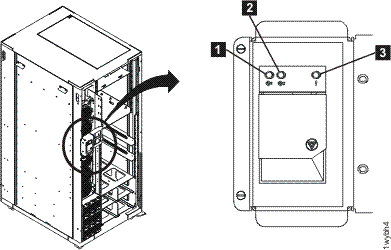 Figure 2. LEDs on the rack front door (Models 951, 95E, 961, 96E)