Use approved ESD procedures to prevent damage.
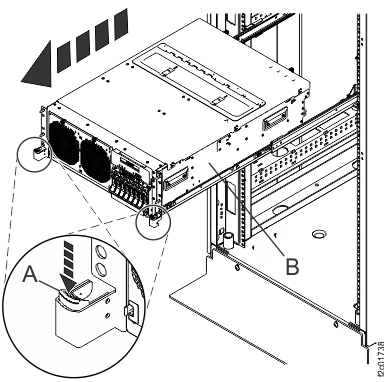
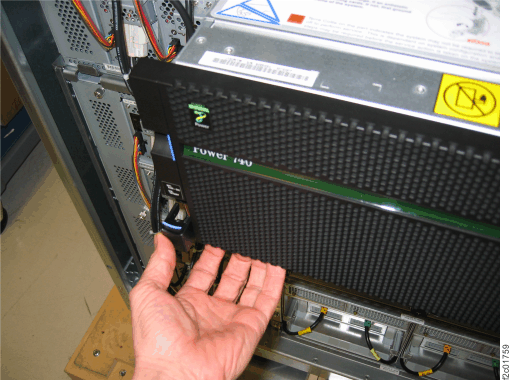
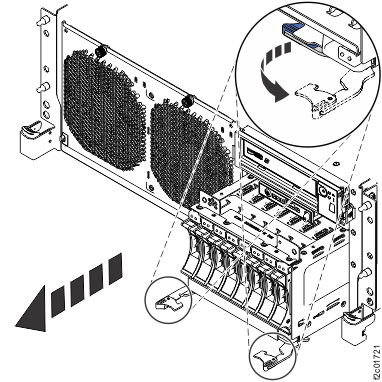
to the DC-UPS service position
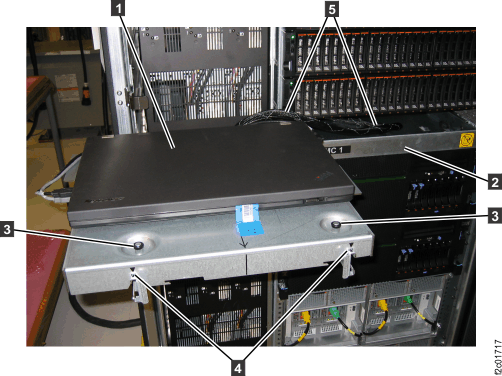
, as shown in Figure 1. Refer
to Management console service positions (Model 961).
fully into the rack. See Figure 1. This
allows access to the top and rear of the CEC enclosure.
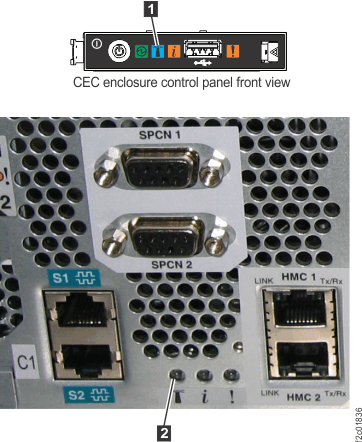
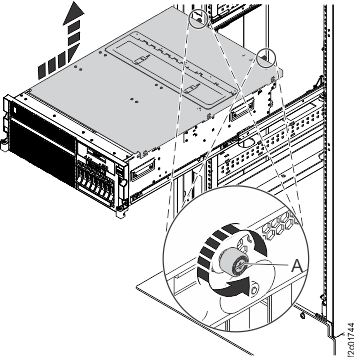
, as shown in Figure 2.
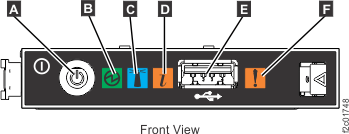
blinking? 

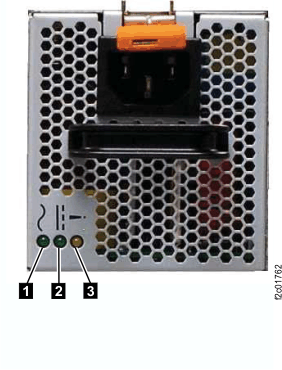
. See Figure 5. 
(10 mm hex head) that secure the CEC
enclosure
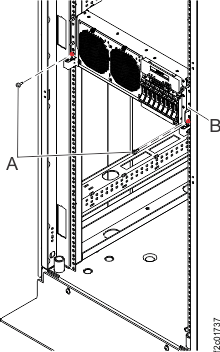
to the rack. See Figure 6. 
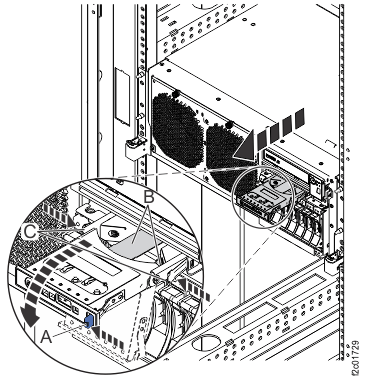
down on both the left and right sides,
and pull the CEC partway out. See Figure 7.
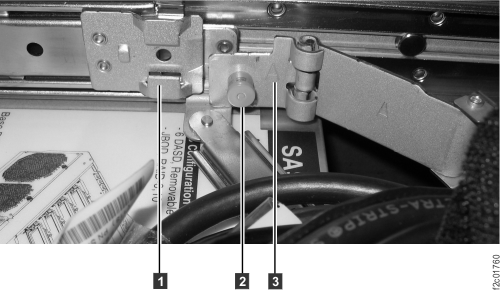
of the cable management arm, See Figure 8.
and slide the cable management
arm towards the rear of the rack to
release it from the CEC enclosure slide rail bracket
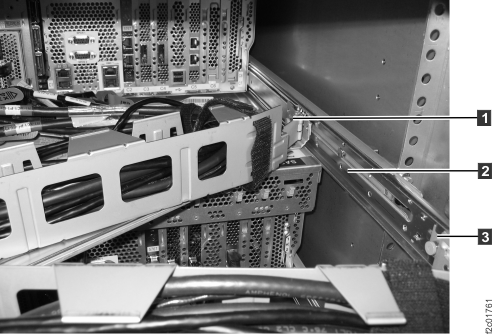
. See Figure 9. 


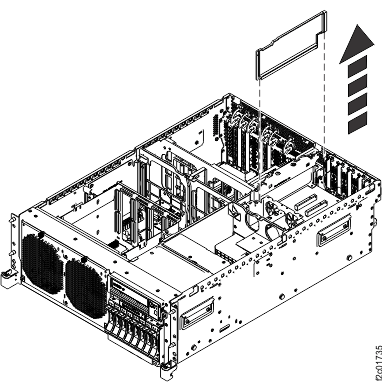
located at the back of the service
access cover.
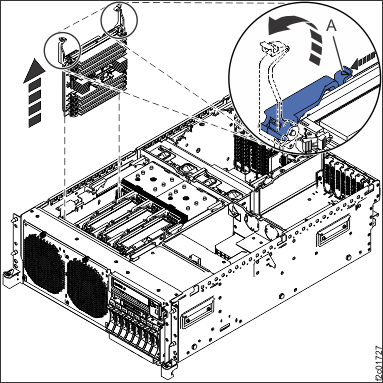
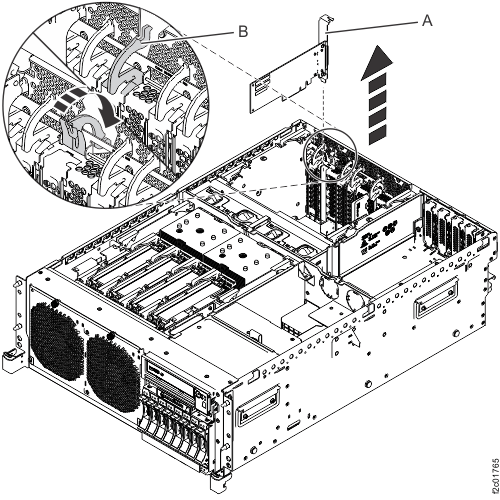
, lift them into the open position,
and then lift the card out of the slot.
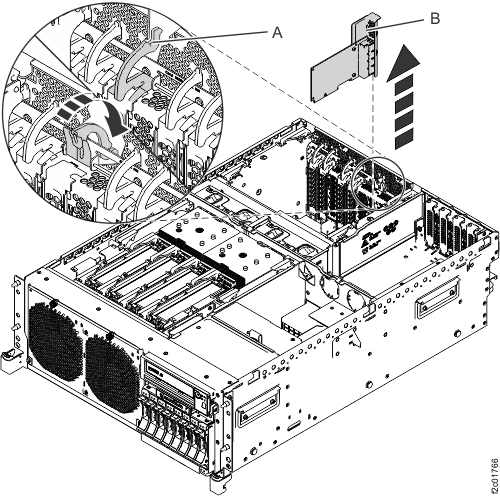
], lift them into the open position,
and then lift the card out of the slot.

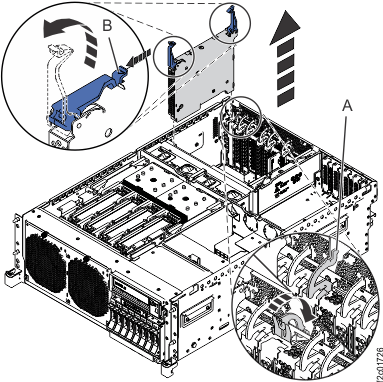
by pushing down on the blue tab behind
the CEC enclosure. Then outside the CEC above the card slot by pulling
the latch toward the rear of the CEC enclosure.
by pushing down on the blue tab behind
the CEC enclosure. Then outside the CEC above the card slot by pulling
the latch toward the rear of the CEC enclosure.
above the card slot by pulling the
latch toward the rear of the CEC enclosure.
out of the slot.
fully from the card connector and
from the vertical retention slot
.
located on either side of the panel,
grasping the edges of the panel, and pulling the panel out of its
bay.
and its related USB
cable from the back of the control
panel.
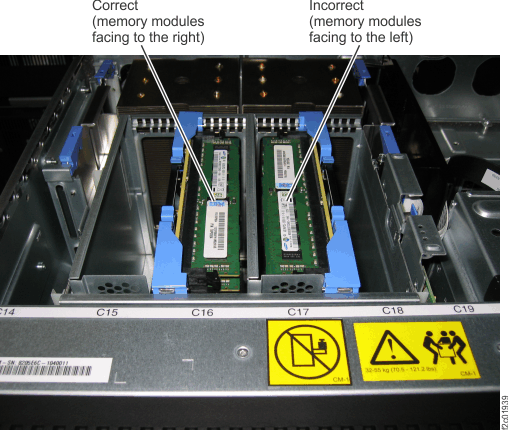
is to the right of the memory cards.
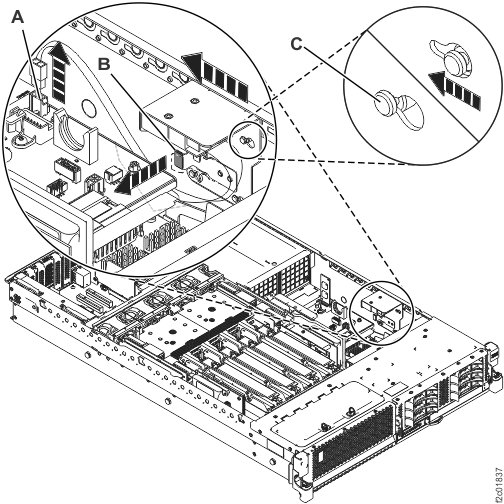
See Figure 20.
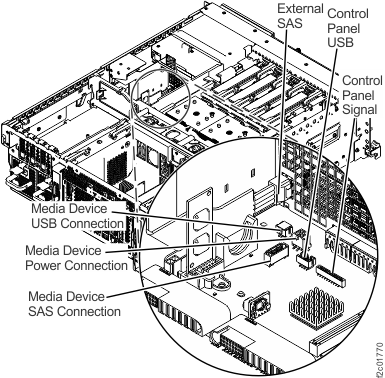
, control panel USB and
, control panel signal cables were
already disconnected in a prior step.
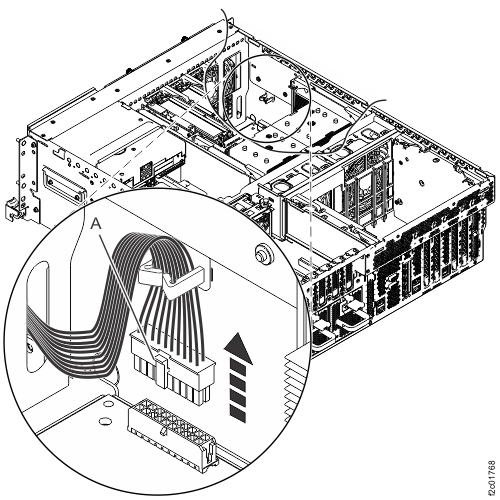
, was already released from I2C passive
card in a prior step.
, release it from the system backplane.
See Figure 22,
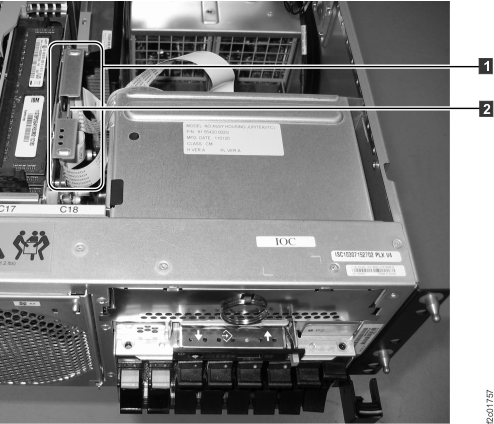
Control Panel Signal.
, release it from the system backplane.
See Figure 22,
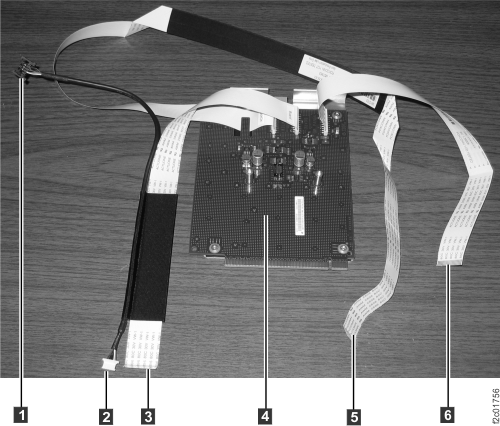
Control Panel USB.
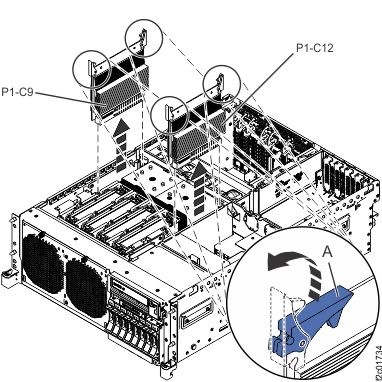
and lift the card out of the slot.
See Figure 20.


, lift them into the open position,
and then lift the card out of the slot.
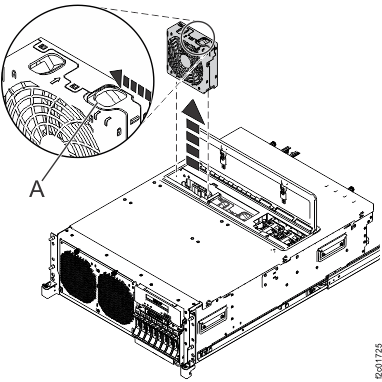
, then lift the fan out of the fan
cage.
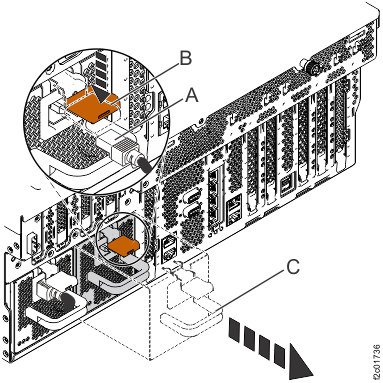
down, use the handle
to pull the power supply out of the
CEC enclosure.
from the system backplane.


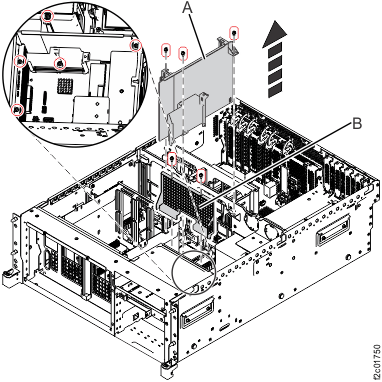
and voltage regulator guide and air
divider
. See Figure 29.
and remove it.
and remove it.

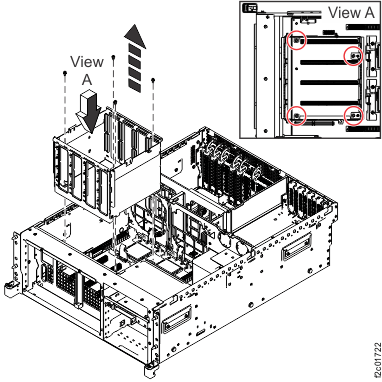
from the system backplane. See Figure 31. 
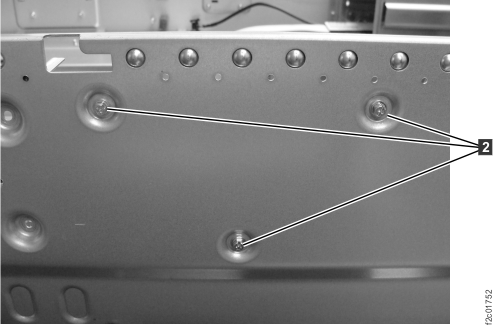
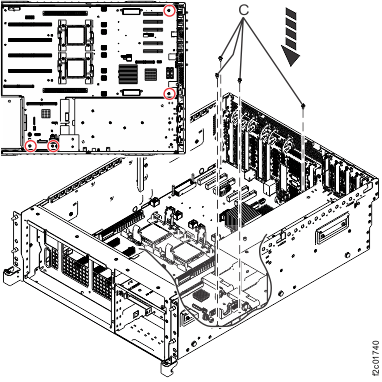
, two middle bottom screws
, and two right bottom screws (above
the power supplies).

. The screw will break free with a
noise, so be ready for that.

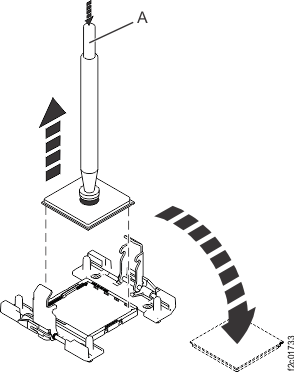
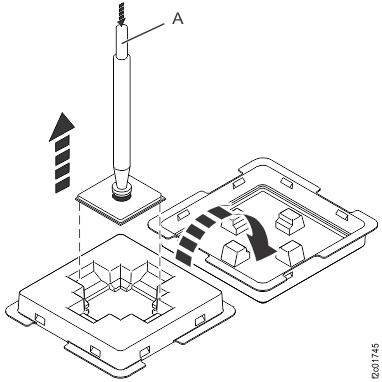
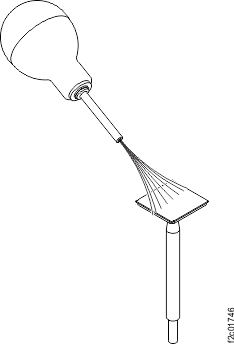
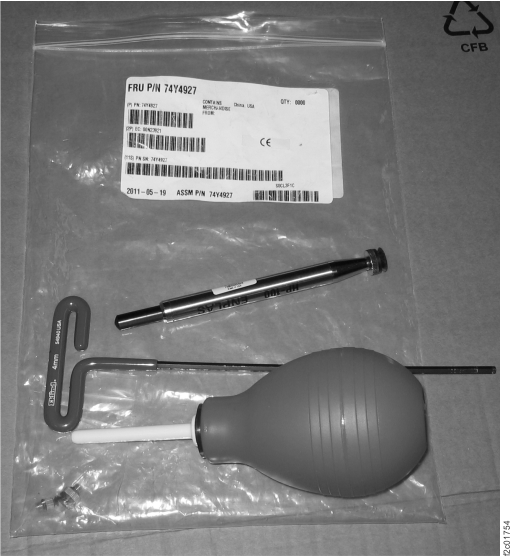
and place it in the center of the
processor module, then release the vacuum pen button. Releasing the
vacuum pen button creates suction.
. Place the processor module lid-side
(aluminum side) down on your static-free work surface. 
which is against the left sidewall.
See Figure 37
from the outside of the CEC enclosure,
then remove the bracket. See Figure 38. 

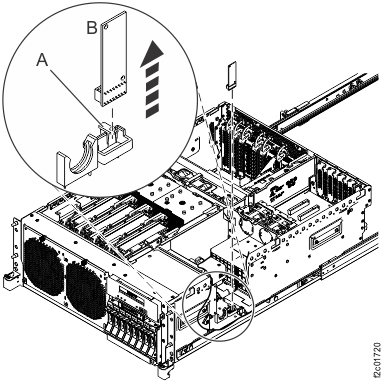
to unlock the VPD card
from its slot on the system backplane
and pull it up out of its slot.
.
.
.
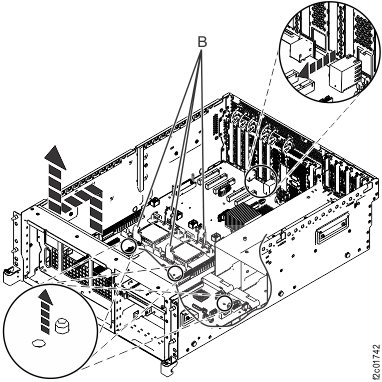
. See Figure 41.
. See Figure 42.
Be aware that the heat-sink load arms can come loose, so do not lift
by only one load arm. Lift the front of the system backplane up to
clear the front alignment pins approximately 6.35 mm (1/4 in.). See Figure 42. 

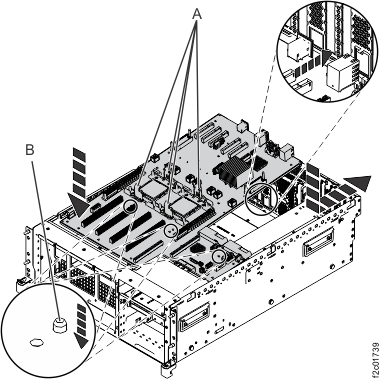
.
.
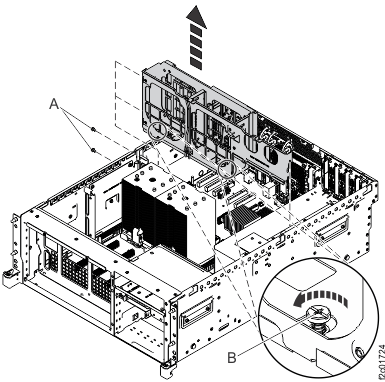
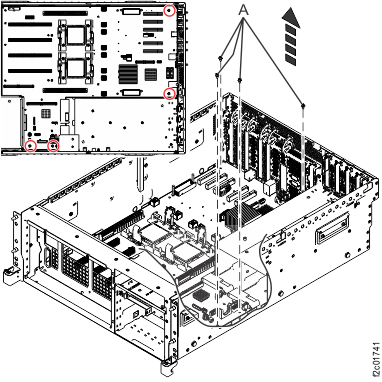
hat secure the system backplane to
the system chassis.

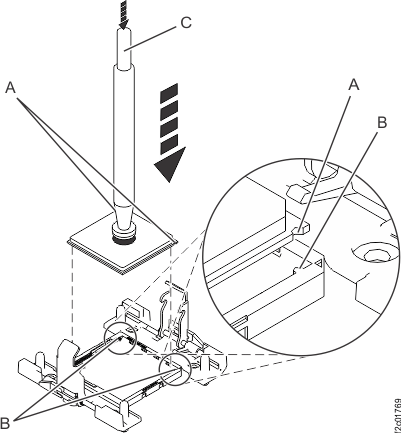
and place it in the center of the
processor module, then release the vacuum pen button. Releasing the
vacuum pen button creates suction. Lift the processor module upward.
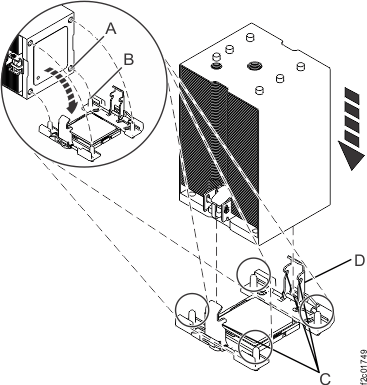
See Figure 45.
on the processor module and two keyed
corners
on the processor socket for alignment.
Release the vacuum from the pen by pushing the button
. See Figure 47. 


to align properly with the guide pins
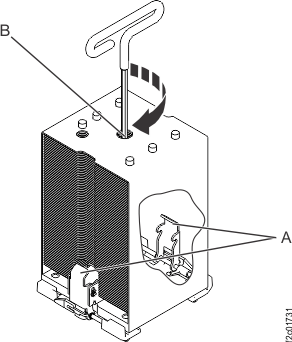
. See Figure 50.

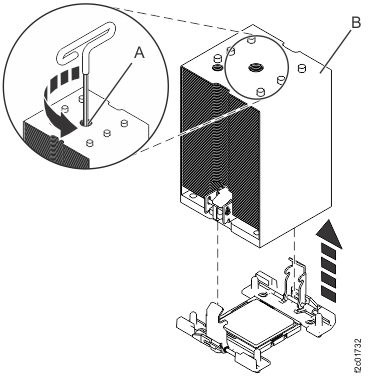
clockwise using the hex driver (supplied)
until a firm stop is reached. The firm stop occurs when the screw
reaches the bottom of the hole.
are not engaged and the processor
will overheat. Unscrew the center load screw and try this step again.
If it fails again, you will need to manually push the load arms in
while you turn the center load screw. If you are working alone you
can carefully latch one load arm at a time. If you have an assistant,
they can use their fingers to push the load arms in while you tighten
the load screw.
and alignment pin
are engaged.
, and two right bottom screws (above
the power supplies). 
to the system backplane. See Figure 31.
and voltage regulator guide/air divider
. See Figure 29.
into its slot. Push down until the
blue latch
snaps into place. See Figure 20.
through the control panel opening
so that the cables connectors stick out the front of the CEC enclosure.
See Figure 21.
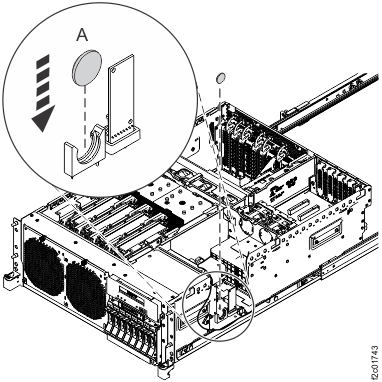
Figure 21 to
the system backplane (Figure 22).
Figure 21 to
the control panel USB connector (Figure 22)
on the system backplane.
Figure 21 to
the I2C passive card location at the right rear of the CEC enclosure
(Figure 18).
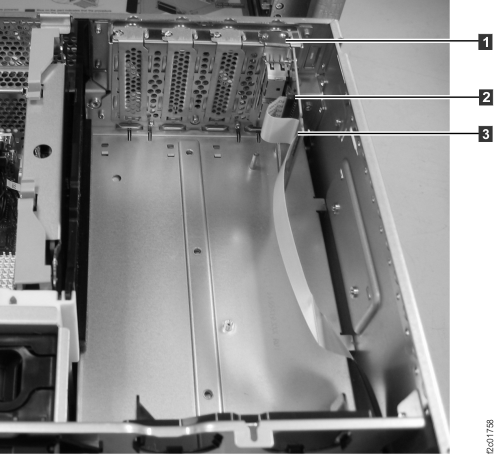
into the card connector
. Ensure the cable passes through the
two vertical slots
in the card.
in the card.
and its related USB
cable to the rear of the control panel.
located on either side of the panel
snap into place.
, press it firmly into the slot, and
rotate the card latch
into place.
, press it firmly into the slot, and
rotate the card latch
into place.
into the open position, lower the
card into the slot, and then close the card latches until they snap
into place.
into the open position, lower the
memory card into the slot, and then close the card latches until they
snap into place. 
.
in the slot on the system backplane,
being sure to insert the battery with the polarity (+/-) the same
as the battery that was removed. 
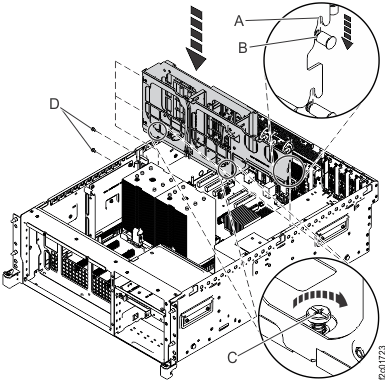
located on the back of the service
access cover with the two holes on the back of the system chassis.
by lifting them upward. The rail safety
latches are located near the middle of the CEC enclosure.

Is the DC Good green LED blinking on one or both power supplies?

to blink slowly, as shown in Figure 5. Is the green LED blinking?
on the slide-out tray. See Figure 1.
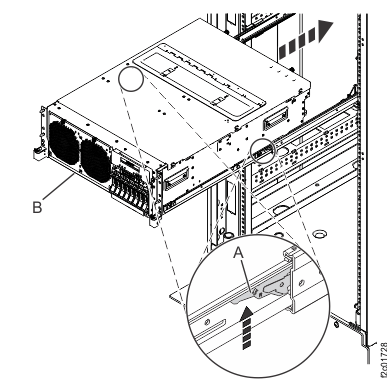
out to the service position.
to the standard service position
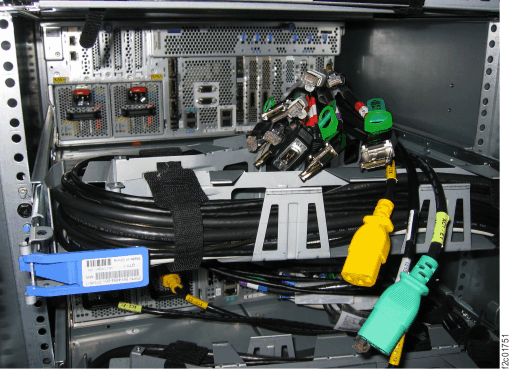
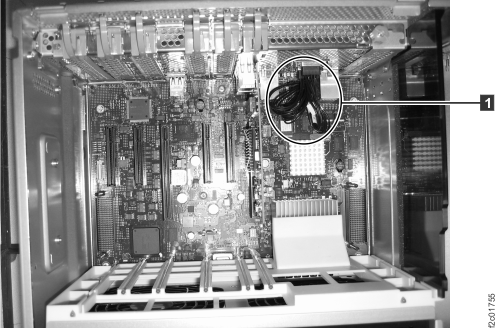
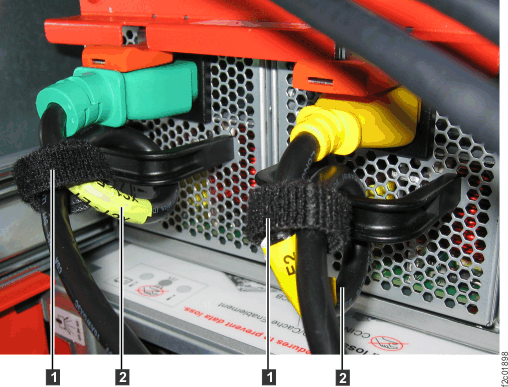
. Carefully route the cable bundle.