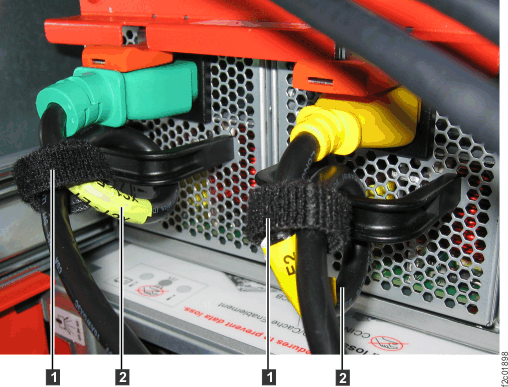
Use approved ESD procedures to prevent damage.
to the DC-UPS service position
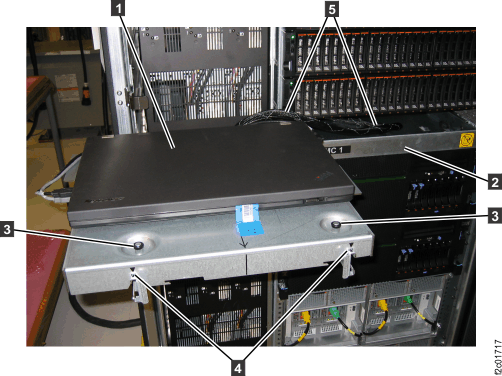
, as shown in Figure 1. Refer to Management console service positions (Model 961). 
fully into the rack. See Figure 1. This allows
access to the top and rear of the CEC enclosure.
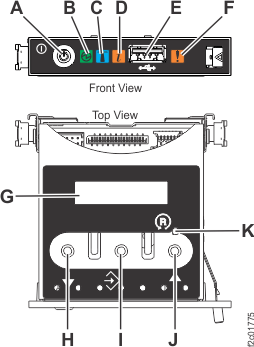
, as shown in Figure 2
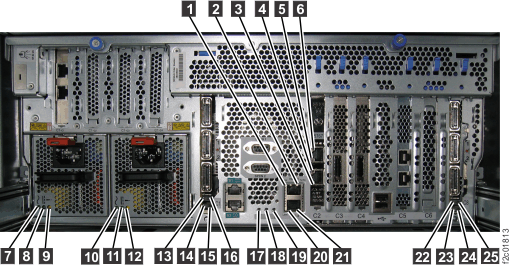
, as shown in Figure 3

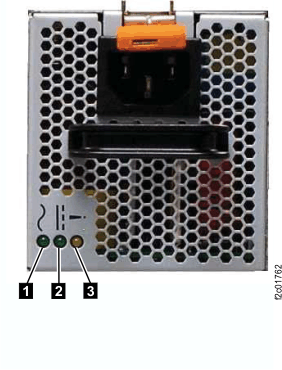
blinking? 

. See Figure 6. 
(if present) that secure the CEC enclosure
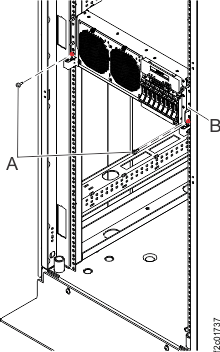
to the rack. See Figure 7. 
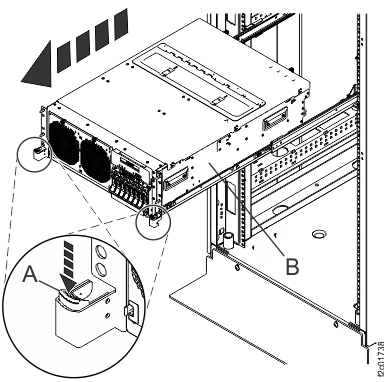
down on both the left and right sides,
and pull the CEC enclosure full out. See Figure 8.
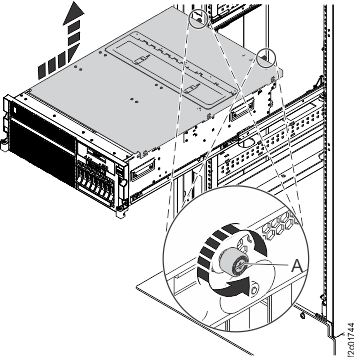
located at the back of the cover.


. The screw will break free with a
noise, so be ready for that.

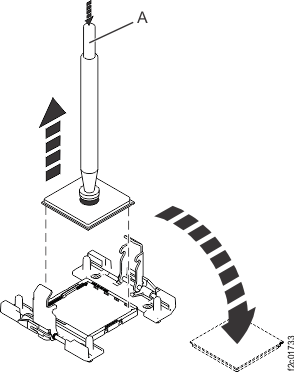
and place it in the center of the
processor module, then release the vacuum pen button. Releasing the
vacuum pen button creates suction.
. Place the processor module lid-side
(aluminum side) down on your static-free work surface. 
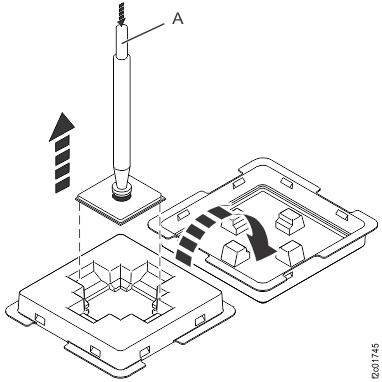
and place it in the center of the
processor module, then release the vacuum pen button. Releasing the
vacuum pen button creates suction. Lift the processor module up. See Figure 15. 

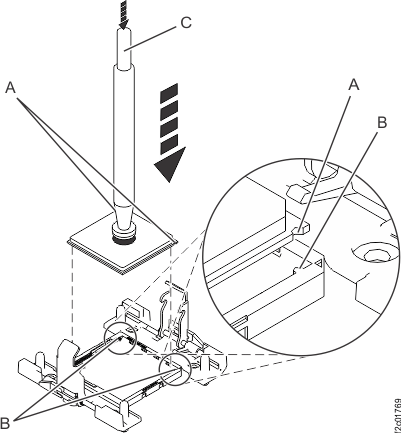
on the processor module and two keyed
corners
on the processor socket for alignment.
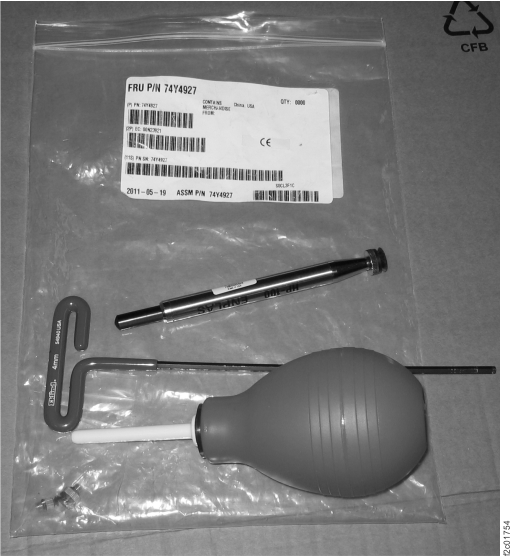
Release the vacuum from the pen by pushing the button
. See Figure 17. 


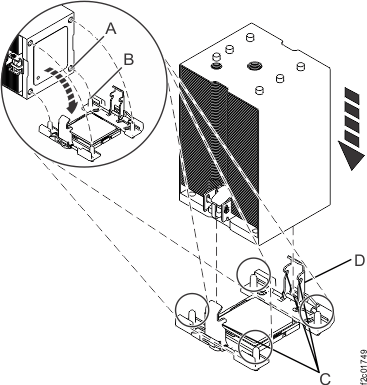
to align properly with the guide pins
. See Figure 20. 
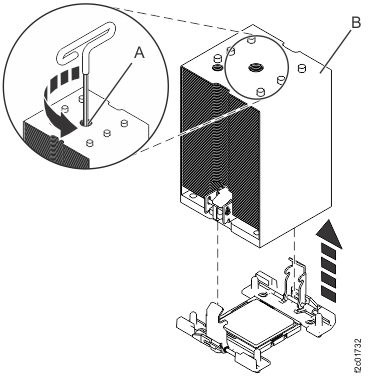
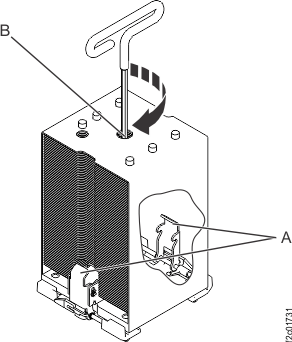
clockwise using the hex driver (supplied)
until a firm stop is reached. The firm stop occurs when the screw
reaches the bottom of the hole.
are not engaged and the processor
will overheat. Unscrew the center load screw and try this step again.
If it fails again, you will need to manually push the load arms in
while you turn the center load screw. If you are working alone you
can carefully latch one load arm at a time. If you have an assistant,
they can use their fingers to push the load arms in while you tighten
the load screw.
located on the back of the service
access cover with the two holes on the back of the system chassis.Is the DC Good green LED blinking on one or both power supplies?

Is the green LED blinking?
on the slide-out tray. See Figure 1.
out to the service position.
to the standard service position
. Carefully route the cable bundle.