MAP6101 Section-1
Procedure
- At the rear of the management
console server,
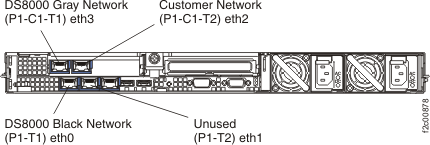
disconnect the following three Ethernet cables. See Figure 1 (X335 server)
or Figure 2 (X336
server) or Figure 3 (X3550 server).
- DS8000® network cable, black (eth0)
- DS8000 network cable, gray (eth3)
- Customer network cable (eth2)
Later, after you have reloaded the HMC code and all of the network settings have been restored, you will reconnect the cables.
Figure 1. Ethernet connectors on the rear of the X335 management console server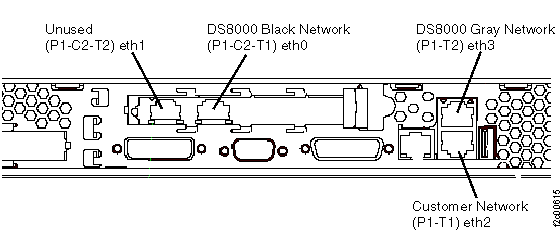 Figure 2. Ethernet connectors on the rear of the X336 management console server
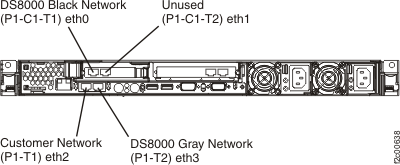 Figure 3. Ethernet connectors X3550 management console server (rear view)