DS8000 Service Documentation Version 6.3.3
Routing and connecting the rack power control cables to the RPC cards
Procedure
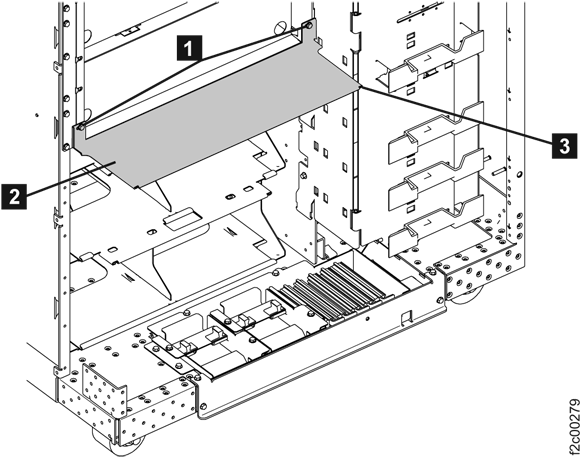
- Remove the two screws 1 and
take out the Air baffle 2 as shown in Figure 1. Retain the
parts for later reinstallation. Figure 1. Air baffle
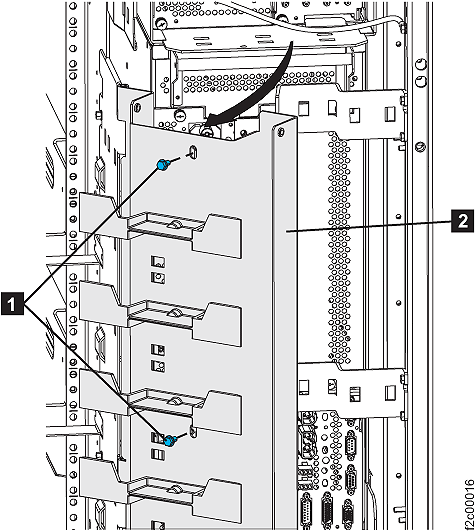
- Remove the two screws 1 and
pivot the 208VDC bus bar gate to the service position 2 ,
as shown in Figure 2. Figure 2. 208VDC bus bar gate service position
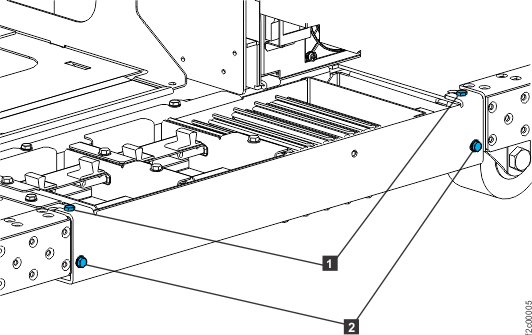
- Remove the tailgate frame bracket. Remove two screws 2 as
shown in Figure 3.
Loosen but do not remove the two top screws 1 .
Slide the bracket out. Figure 3. Tailgate frame bracket
- At the rear of the expansion rack being installed,
find the power control cable that connects to the PPS sequencer module
connector J1 in the upper PPS.
The loose end of the cable has a gray label.
Figure 4. PPS J1 connector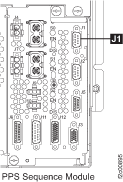
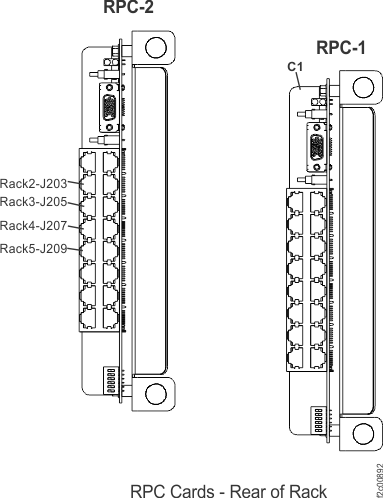
- Use Table 1 and Figure 5 in this step
to determine which RPC1 card connector to plug the expansion rack
power control cable to. Connect the cable to
the RPC card.
Table 1. Rack number and RPC1 connector locations Rack number RPC 1 card (right card) 2 J203 3 J205 4 J207 5 J209 Figure 5. RPC1 cards, connector locations (rear of rack)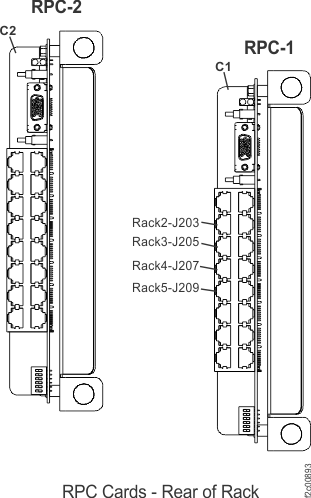
- At the rear of the expansion rack being installed,
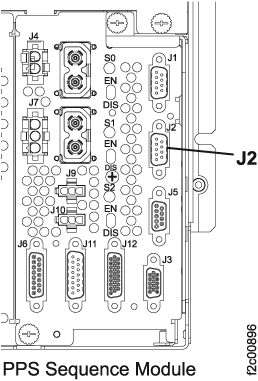
find the power control cable that connects to the PPS sequencer module
connector J2 in the upper PPS. The loose end of the cable has a yellow label. Figure 6. PPS J2 connector
- Use Table 2 and Figure 7 to determine
which RPC2 card connector to plug the expansion rack power control
cable to. Connect the cable to the RPC card.
Table 2. Rack number and RPC2 connector locations Rack number RPC 2 card (left card) 2 J203 3 J205 4 J207 5 J209 Figure 7. RPC2 cards, connector locations (rear of rack)