Procedure
- Verify the setting of the following switches ONLY on the
expansion rack being installed. CAUTION:Do not switch off the UEPO switch on the existing racks that are powered on.
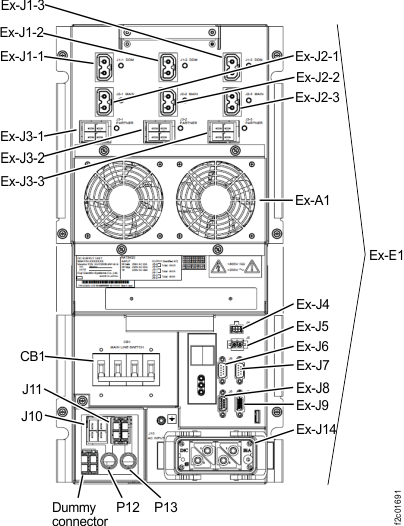
Table 1. Switch settings and locations ONLY for expansion rack being installed Switch Setting Location Figure reference UEPO red switch Off (in at bottom) Behind front cover, against left sidewall, above battery service modules. Note: Press the recessed switch towards the bottom. It will appear flat when off. in Figure 1
CB1 main line switch Off (down) On lower left of each DC-UPS (right rear of rack) Figure 2 Figure 1. UEPO switch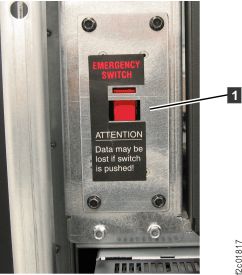 Figure 2. Location codes for the DC-UPS (Models 961, 96E) (rear)