Before you begin
Attention: Use an IBM-approved analog multimeter.
Do not use a digital meter.
Procedure
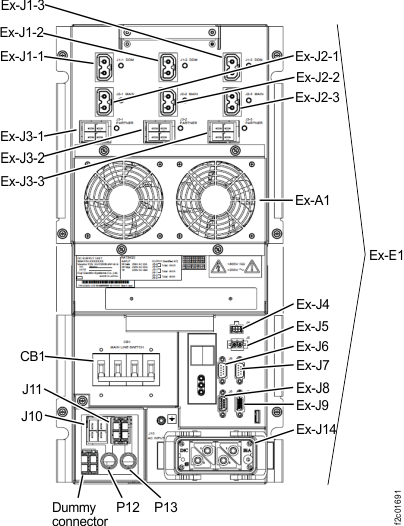
- Verify the MAIN LINE circuit breaker (CB1) on
the rear of each DC-UPS is set to Off (down). Refer to Figure 1. Figure 1. Rear view of DC-UPS DSU showing CB1
- Check the resistance of the mainline power cable
connector ground pin (G) to the DC-UPS chassis.
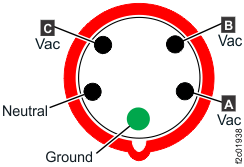
See Figure 3 or Figure 2 or Figure 4.
- Yes, go to MAP2330 Repair rack ground continuity.
- No, go to Checking customer receptacle ground pin continuity with customer CB off (plug in).
Figure 2. Single-phase, 200 - 240 V, 60A, IEC60309 cable connector pins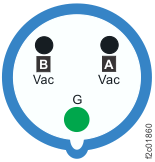 Figure 3. Three-phase low voltage (200 - 240 V) 60A, IEC60309 cable connector pins
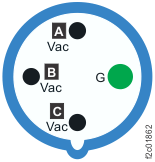 Figure 4. Three-phase high voltage (380 - 415 V) 30A, IEC60309 cable connector pins