DS8000 Service Documentation Version 6.3.3
Checking rack power system ground continuity and voltage (plug in)
Before you begin
Attention: Use an IBM-approved analog multimeter.
Do not use a digital meter.
Procedure
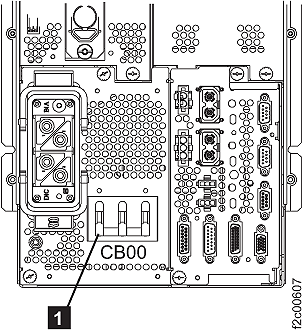
- Verify the MAIN LINE circuit breaker 1 (CB00)
on the rear of each primary power supply is set to Off (down). Refer
to Figure 1. Figure 1. Rear view of PPS showing CB00
- Prepare the multimeter to measure 0.1 ohm or less resistance.
Place one lead of the multimeter on the ground pin of the male plug
on the mainline power cable. Place the other lead on the conductive
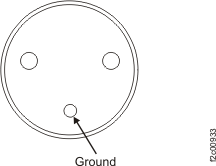
metal of its primary power supply enclosure. Refer to Figure 2 or Figure 3 for
the location of the ground pin. Do this for each mainline power cable.
Is there more than 0.1 ohm of resistance?
- Yes, go to MAP2330 Repair rack ground continuity.
- No, go to Checking customer receptacle ground pin continuity with customer CB off (plug in).
Figure 2. Three-phase amp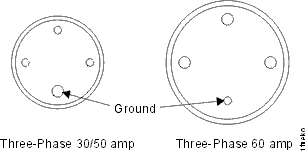 Figure 3. Single phase, ground pin