Use these procedures to disconnect the power input cables
from each I/O enclosure for Rack-2.
Procedure
- You must do the following step to ensure the
installation does not fail.
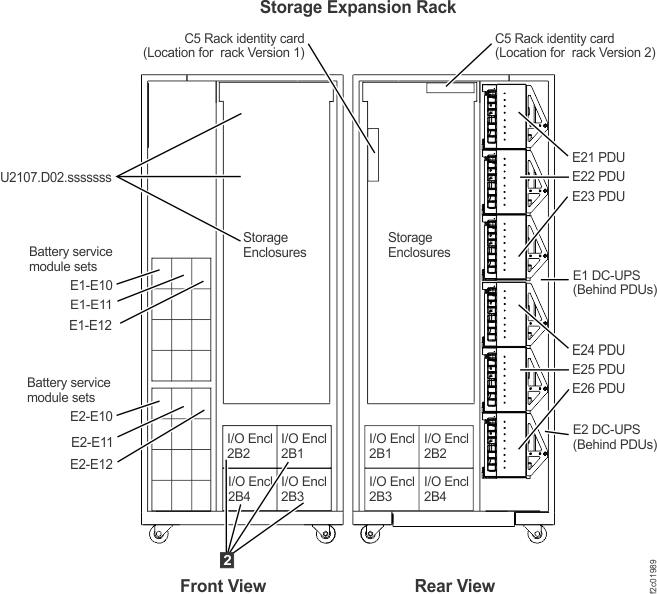
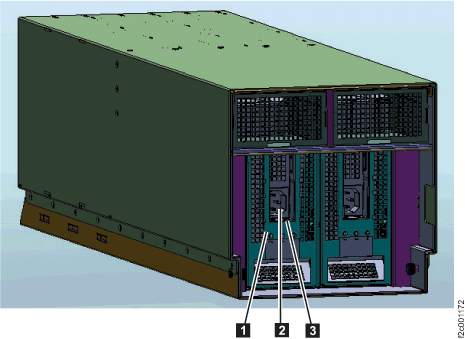
- At the bottom front of Rack-2, disconnect both
power input cables 2 (Figure 2) from each I/O enclosure 2 Figure 1.
Figure 1. Expansion rack locations,
front and rear
Figure 2. I/O enclosure power supply,
power connector, and handle
- Go to the next section.