DS8000 Service Documentation Version 7.5
Opening the power distribution units (PDUs)
Procedure
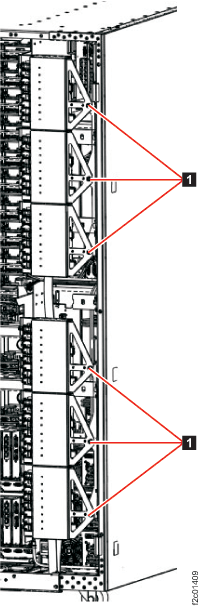
- At the rear of the rack, to gain access to the
rear of the PPS units, unfasten 1 and
then rotate the upper and lower sets of power distribution units (PDUs)
away from the rear of the PPS, as shown in Figure 1.
Figure 1. Power distribution units in normal position (rack rear view)
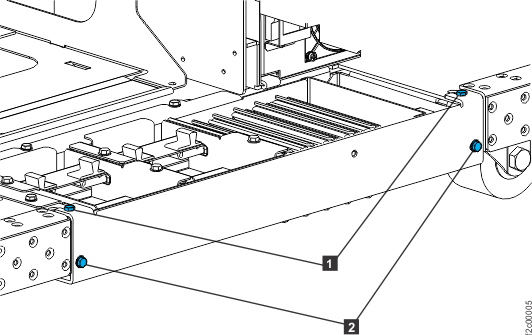
- Remove the tailgate frame bracket. Remove two screws 2 as
shown in Figure 2.
Loosen but do not remove the two top screws 1 .
Slide the bracket out.
Note: If the rack is configured for overhead
cable management (top exit line cord), only the Rack-2 tailgate frame
bracket needs to be removed to allow routing of the PCIe and SPCN
cables.
Figure 2. Tailgate frame
bracket
- Go to the next section.