MAP6670 Section-1
Procedure
- View the managed system's properties.
- From the bottom Task area, click Properties. Figure 1. Window: Managed System Properties - General details
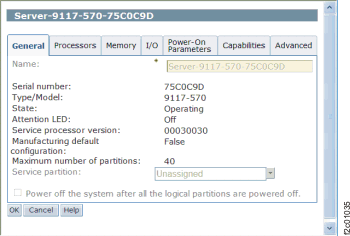
The management console displays the following:- the system's name
- logical partition capability
- state
- serial number
- model and type
- policy information.
A system that is powered on using the Partition Standby option displays the previously listed information, as well as the following:- available and assigned processors
- memory
- I/O drawers and slots
- power-on parameters
- reference codes
- policy information.
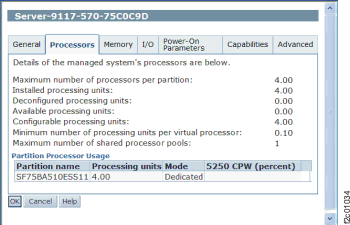
The Processors tab displays information that is helpful when performing Dynamic Logical Partitioning processor tasks. Use the Processor tab to view the following information:- processor status
- processor state
- if a processor is assigned to a logical partition
- if processors are disabled and therefore cannot be used by any logical
partition.Figure 2. Window: Managed System Properties - Processor Details
- From the bottom Task area, click Properties.