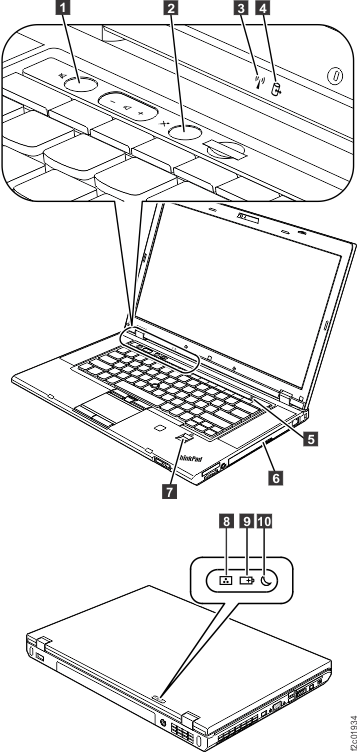
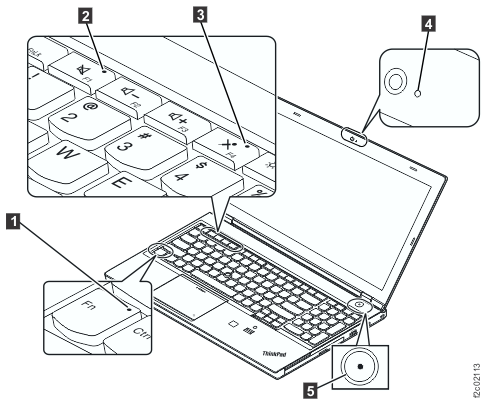
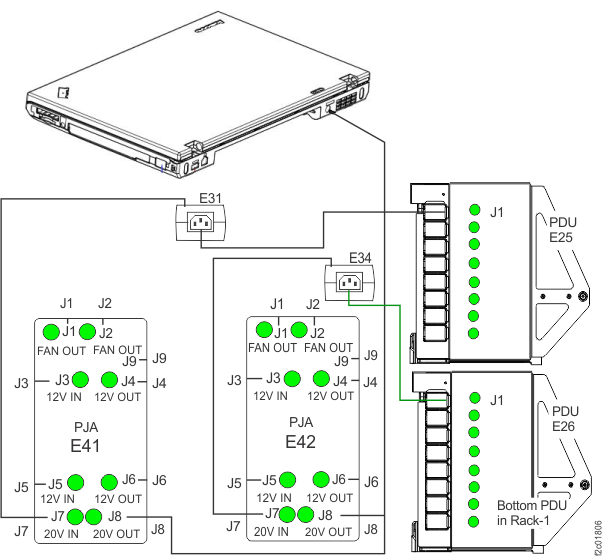
| Off |
Off |
Input power is not present at the power supply
or the power supply itself has failed. |
For internal HMC, go to MAP6520 Section-3. For external HMC, go
to MAP6520 Section-5.
|
| On |
On |
The power supply is working correctly. |
Return to the MAP or Section that sent you here. |
| Off |
On |
The power supply or the operator information
panel (card) has failed. |
Use the appropriate maintenance manual to repair
the management console server.a |
| On |
Off |
The power supply or the system board has failed. |
Use the appropriate maintenance manual to repair
the management console server.a |
| Flashing |
Flashing |
The management
console server
is in power off state. |
Press the power control button on the front
of the management
console server
to start it. Return to the MAP or Section that sent you here. |
Notes: - Refer to the appropriate manual that is on the IBM® DS8000® series
Service Documents CDROM:
- xSeries 335
Type 8676, Type 8830 Hardware Maintenance Manual and Troubleshooting
Guide
- xSeries 336 Type 1879 and Type 8837 Hardware
Maintenance Manual and Troubleshooting Guide
- IBM System
x3550 Type 7978 and 1913 Problem Determination and Service Guide
- ThinkPad® T500 and W500 (15.4-inch widescreen) Hardware
Maintenance Manual
|
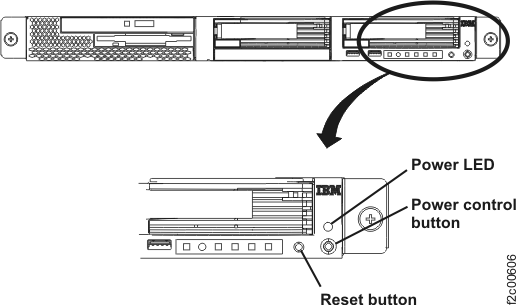 Figure 2. The Power LED on the rear of the X335 management console server
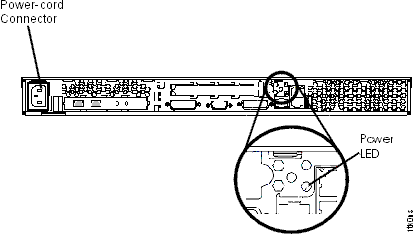 Figure 3. X336 management console server (front view)
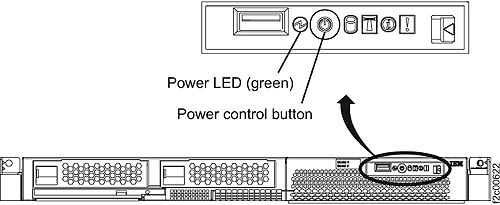 Figure 4. The Power LED on the rear of the X336 management console server
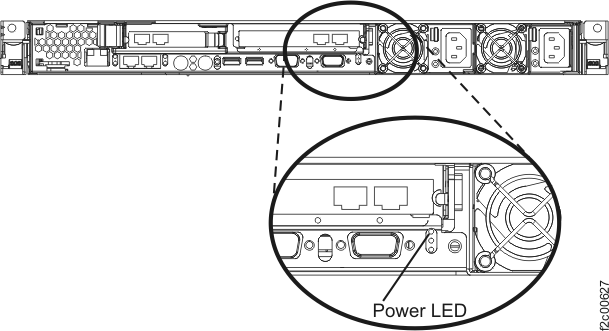 Figure 5. X3550 management console server - operator control panel (front view)
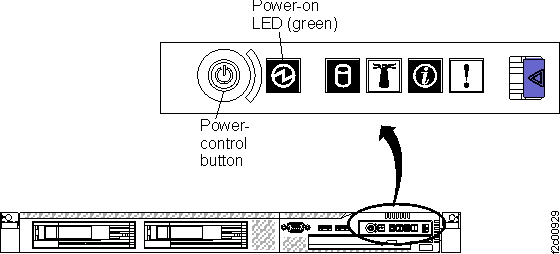 Figure 6. Power LED on rear of X3550 management console server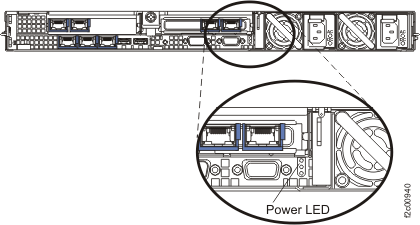
 in
in  in
in 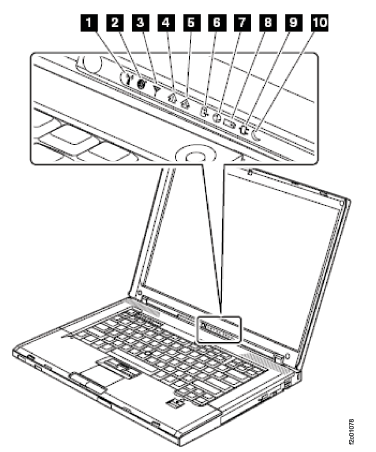
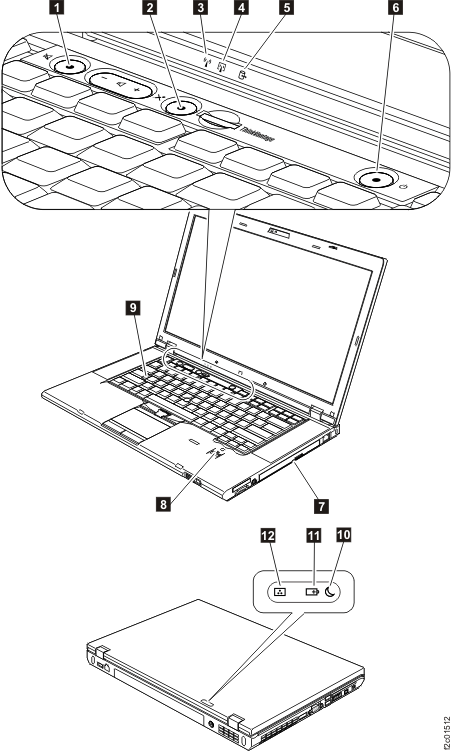
 from the
  is connected.
 is connected to the rack power cable.
 in this rack. If the cable is not
receiving power from the rack, the Ethernet switches will also be
powered off.
in this rack. If the cable is not
receiving power from the rack, the Ethernet switches will also be
powered off. 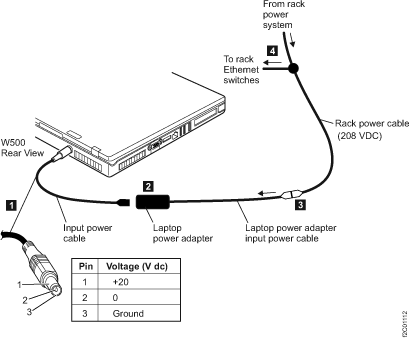
 in
in