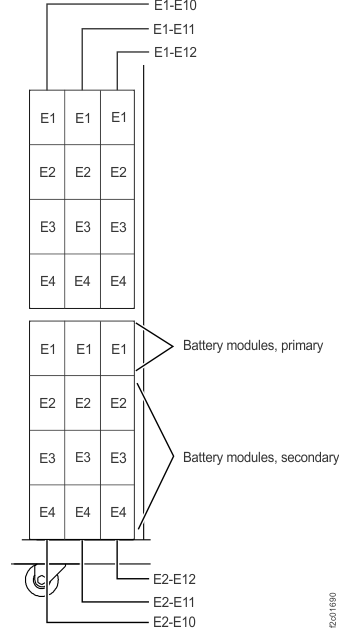
One or more of the battery service module (BSM) sets in
the rack has a born-on date that is more than two years older than
the BSM set with the newest born-on date.
About this task
- A rack 1, 2, or 3 BSM sets based on installed rack features.
- A BSM set contains four battery modules.
- All four battery modules are always replaced as a set.
- The battery was split into four modules was to keep the individual
weight below the limit for a single service representative to handle.
- The primary battery module which include three status LED indicators
can only be installed at the top of the set.
- The three secondary battery modules can only be inserted below
the primary battery module. The three secondary battery modules are
interchangeable within the set.
- The four battery modules in the set are treated as one battery
by the DC-UPS.
- The born-on date of each BSM set in the rack must not differ by
more than two years. This ensures that their charge/discharge characteristics,
which change over time, remain compatible.