MAP2100 Section-1
Procedure
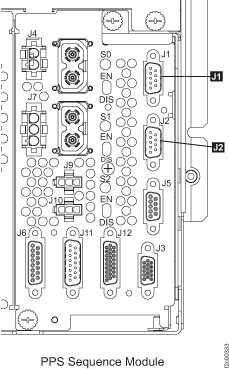
- At the rear of the upper PPS, disconnect
J1 and J2 connectors. See Figure 1. Note: The other end of these "Y" cables stay connected to the lower PPS and the Rack-1 RPC cards.Figure 1. PPS sequencer module RPC connectors
- At the rear of the upper PPS, switch
off (down) the CB00
 power input circuit breaker. See Figure 2. Figure 2. Rear view of PPS showing CB00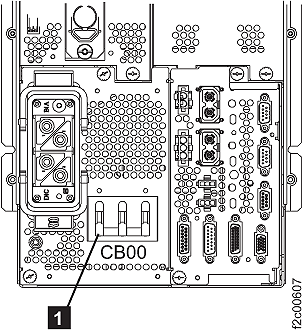
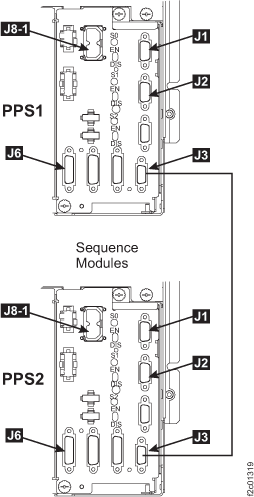
- At the rear of the LOWER PPS (PPS2), unplug the
J3 cable from the PPS sequence
module. See Figure 3. Figure 3. PPS rear view, lower right: PPS-to-PPS communication cable connection
- At the front of the upper PPS, are
all the LED indicators and two-character status display off?
- Yes, go to MAP2100 Section-2.
- No, at the rear of the upper PPS, disconnect the cable from J6. See Figure 4. If the LEDs or status display are not off, contact your next level of support.
Figure 4. Identifying the connectors on a sequencer module (rear of a PPS)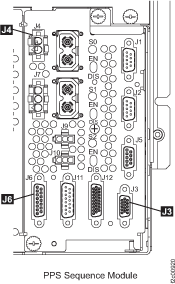
 cable.