Procedure
- This step shows an overview of the Rack-2
to Rack-1 routing of the PCIe and SPCN cables. Do not route
or connect the cables until directed in later steps. Figure 1. Mechanical routing of the PCIe and SPCN cables (rack-to-rack)
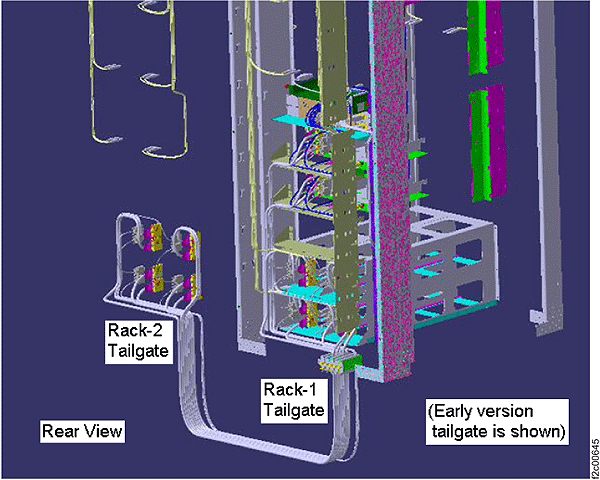
- On a raised floor, the cables are run down through the tile cutouts and underneath the floor.
- On a non-raised floor, the cables are run beneath the racks.
- Do the following:
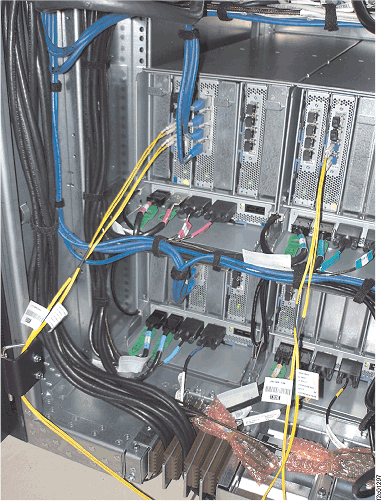
- Route the PCIe cables
inside of Rack-2. See Figure 4.
- Route the PCIe cables on the left side of the rack through slot 1.
- Route the PCIe cables on the right side of the rack through slot 6.
Figure 4. PCIe and SPCN cable routing through Rack-2 tailgate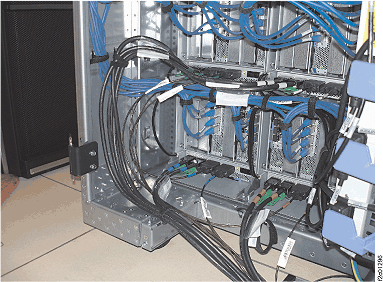
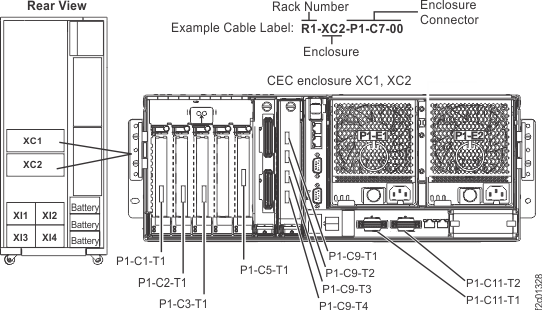
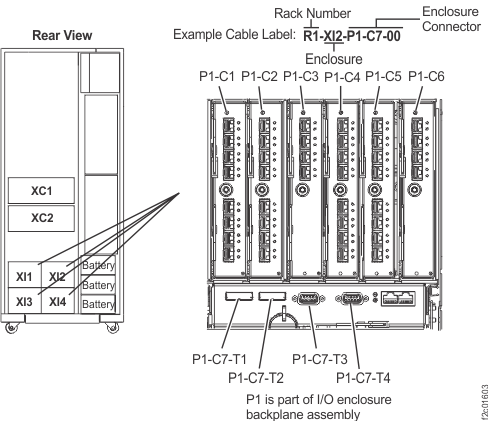
- Route the SPCN cables.
- For cable routing inside of the rack, see Figure 5.
- Route the SPCN cables on the left side of the rack through slot 2.
- Route the SPCN cables on the right side of the rack through slot 5.
Figure 5. PCIe and SPCN cable routing through the Rack-1 tailgate