Procedure
- Remove the right end cover (viewed from
the front) from Rack-1.
- Pull the upper corners of the cover away from the rack
to release the upper cable ties and
apply even pressure working your way down the sides. See Figure 1. Figure 1. Removing the end cover
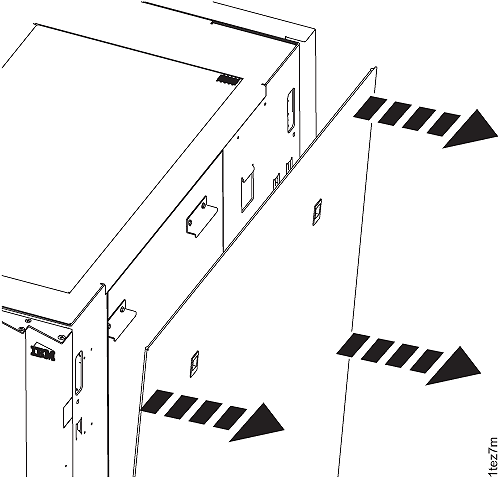
- Pull the upper corners of the cover away from the rack
to release the upper cable ties and
apply even pressure working your way down the sides. See Figure 1.
- Remove the left rear cover from Rack-1.
Refer to Figure 2.
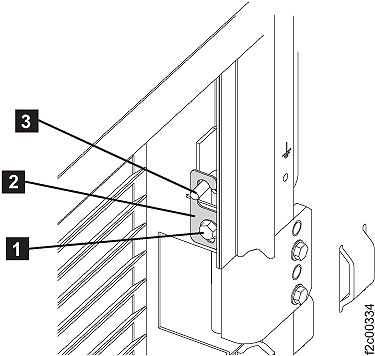
- On the upper and lower door hinges, loosen the screw 1 and move the retention plate 2 that prevents the hinge pin 3 from being removed.
- Remove the hinge pins, remove the rear cover and place it in a safe location.
Figure 2. Removing rear left cover (right rear cover similar)