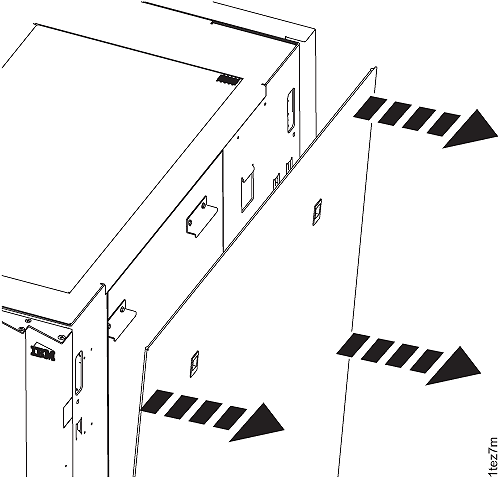
Remove the left rear cover from Rack-1.
Refer to Figure 2. Note: On some models, the rack machine type, model,
serial (MTMS) label is located on the left rear cover, just above
the door latch. If the left rear cover is removed from the rack,
ensure it is reinstalled on the correct rack. If this is not done,
the incorrect MTMS will be displayed on the exterior of the rack,
which could result in maintenance errors or other issues. If a reference
is needed, the correct rack MTMS is also shown on the "1S" label,
affixed to the upper left inside wall of both the front and rear of
the rack.
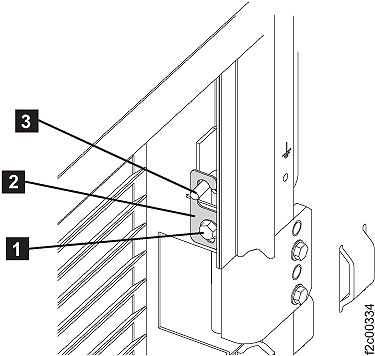
- On the upper and lower door hinges, loosen the screw 1 and
move the retention plate 2 that prevents
the hinge pin 3 from being removed.
- Remove the hinge pins, remove the rear cover and place
it in a safe location.
Figure 2. Removing rear left cover (right
rear cover similar)