DS8000 Service Documentation Version 6.3.3
FC-AL cables, optical, connecting after FCIC replacement
This topic describes how to connect the FC-AL cables.
Before you begin
About this task
Important: The optical cable plugs (LC connectors) and ports (SFPs) must be
cleaned before connecting. Use cleaning tool 54Y4392 or IBM-approved alternative. For detailed
procedures, refer to current DS8000 Info Alerts or contact your next level of support.
Procedure
- Connect the FC-AL cables to the FCIC. Use the
location code labels on each cable to ensure it is properly connected.
- If your FC-AL cables have location labels which include the physical location code (example: R1-G01-P1-C6-T2), refer to Figure 1 and connect the cables. After connecting the cables, go to step 3.
- If your FC-AL cables have location labels with only the three-character connection designators (example: 4A1), go to step 2.
Figure 1. FC-AL location codes for the fibre channel interface card (FCIC), optical FC-AL ports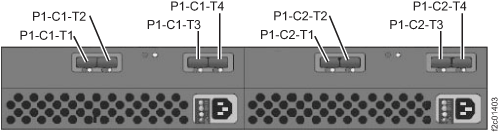
- Determine whether Rack-1 FC-AL cabling is "standard" or "business
class."
- Find the rack internal model label to the left of the
upper PPS.
The label will be on the left sidewall of the rack, and it is shown
in Figure 2. Note: DO NOT use the rack model that appears on the outside of the front cover.Figure 2. Rack-1 configuration labels (examples)
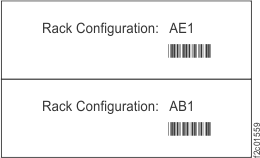
Figure 3. Point-to-point cabling diagram for the FC-AL cables (Models 951, 95E - Rack-1 Configuration: AE1) (rear view, racks 1-2)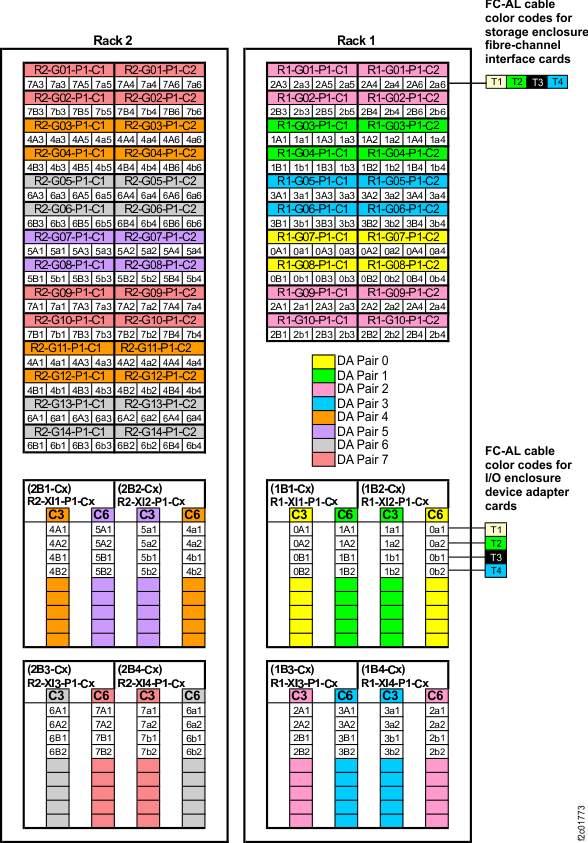 Figure 4. Point-to-point cabling diagram for the FC-AL cables (Models 951, 95E ) (rear view, racks 3-4)
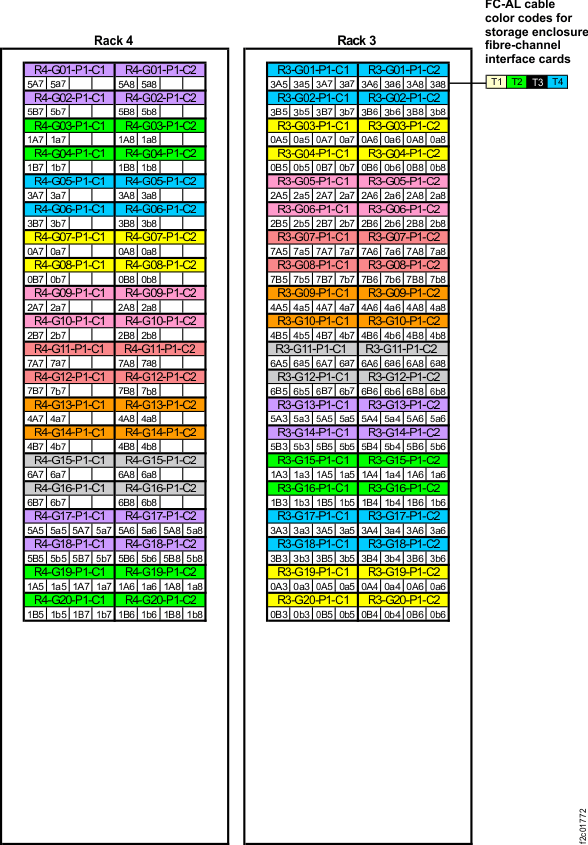 Figure 5. Device adapter pair IDs for storage enclosures (Model 951 with business class cabling) (rear view)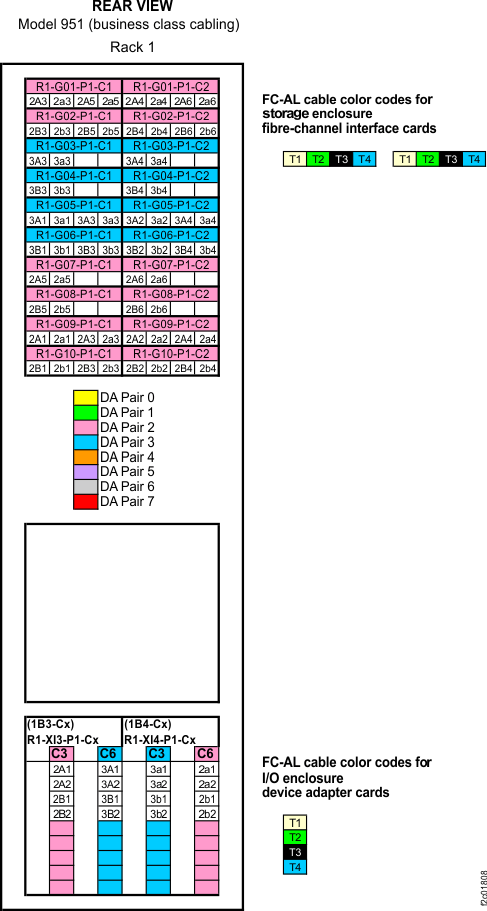
- Find the rack internal model label to the left of the
upper PPS.
The label will be on the left sidewall of the rack, and it is shown
in Figure 2.