DS8000 Service Documentation Version 6.3.3
MAP1260 Displaying the storage facility image (SFI) state
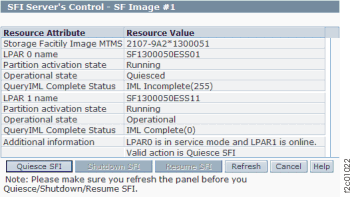
Use this MAP to display the SFI state to ensure the LPARs are ready for customer use.
MAP1260 Section-1
Procedure
Display the partition activation state for each LPAR on a storage
facility image.
Note: States of the CEC enclosure partitions (LPARs).
- From the bottom Task area, click . Figure 1. Window: SFI Server's Control