DS8000 Service Documentation Version 6.3.3
Remove AC power
The storage facility operates with two mainline power cables to each rack.
Before you begin
Procedure
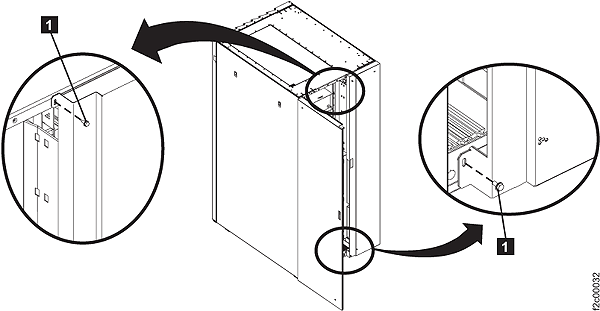
- Open the rear left machine cover. Remove and retain the
two screws 1 and open the rear right
machine cover. See Figure 1. Note: The screws must be reinstalled later to prevent non-service personnel from accessing a hazardous section of the machine.Figure 1. Removing retaining screws on right rear machine cover
- Disconnect the customer end of both mainline ac power cables.
- For mainline power cables (plug in): Disconnect both mainline AC power cables from the customer's AC mainline power receptacles.
- For mainline power cables (wired): If the mainline power cables
were recently rewired or have never been used, disconnect both mainline
AC power cables

 before you continue the safety inspection.
Instruct the customer to call a licensed electrician to disconnect
the mainline AC power cables from the customer's mainline AC power.
before you continue the safety inspection.
Instruct the customer to call a licensed electrician to disconnect
the mainline AC power cables from the customer's mainline AC power.
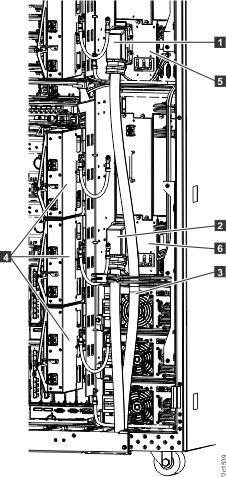
Figure 2. Mainline power cables (Model 94x)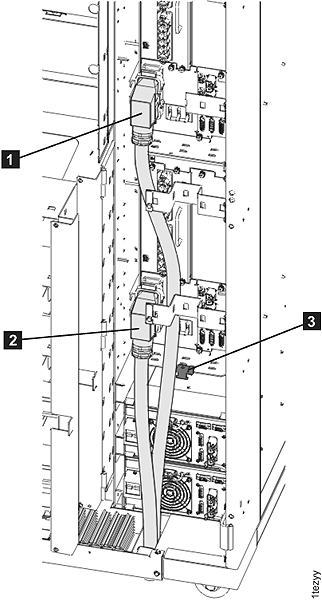 Figure 3. Mainline power cables (Model 95x)