DS8000 Service Documentation Version 6.3.3
Routing and connecting the FC-AL cables
About this task
Note: If an FC-AL cable is
damaged, you can use the point-to-point cabling diagrams to determine the other end of the cable.
See Point-to-point cabling diagrams - FC-AL cables. Several FC-AL cables are tightly bundled together so
it is difficult to physically trace an individual FC-AL cable from end to end.
Procedure
- Determine the destination rack
and storage enclosure for each FC-AL cable.
- Find the location code label at the free end of each FC-AL cable.
- If the labels include the physical location code (example: R2-G01-P1-C1-T2) refer to Figure 1, Figure 2, and Figure 3 to translate to the destination storage enclosure. Then go to step 4.
- If the labels only include the three character connection designators (example: 4A1), refer to Figure 2, and Figure 3 to translate to the destination storage enclosure. Then go to step 4.
Figure 1. Cable labels, storage and I/O enclosure locations for physical location codes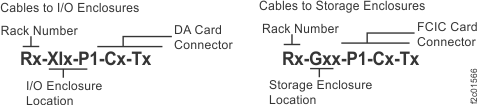 Figure 2. Point-to-point cabling diagram for the FC-AL cables (Models 951, 95E) (rear view, racks 1-2)
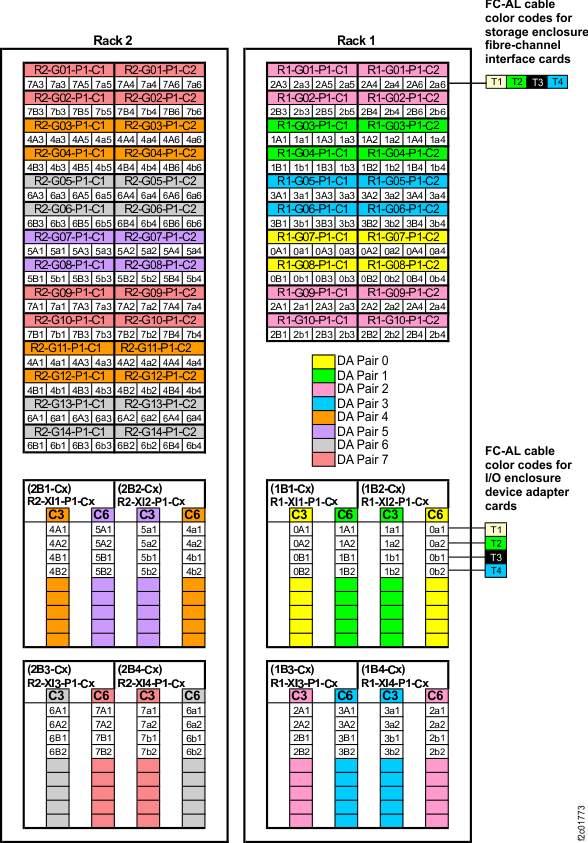 Figure 3. Point-to-point cabling diagram for the FC-AL cables (Models 951, 95E) (rear view, racks 3-4)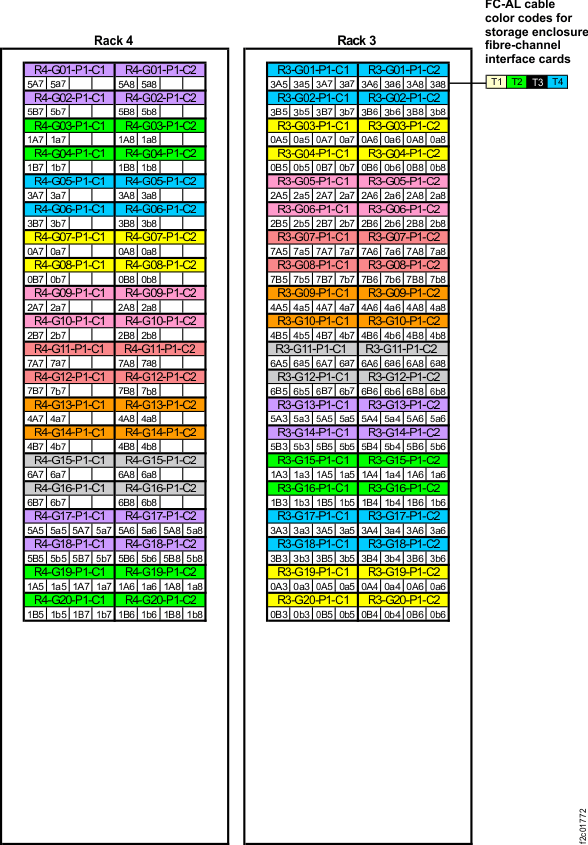
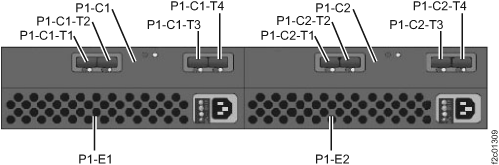
- Plug the FC-AL cables into the connectors on the FCIC cards
in the storage enclosures as indicated on the cable labels. Refer
to Figure 4 for connector
locations. Note: Do not discard the connector covers, you can store them in the Rack-1 documents enclosure (front upper left).Figure 4. Storage enclosure locations rear (Models 951, 95E)